


Track your energy supplement's impact on Garmin Body Battery
Instead of trying to remember when you took a supplement and how your energy changed, pair Garmin Body Battery readings with a simple daily log and reminders. This Garmin Body Battery energy supplement workflow helps you compare patterns—not prove that a supplement improves recovery or raises your score.
- Use a Garmin Body Battery energy supplement log to compare recovery patterns, supplement timing, and everyday energy.
- Garmin Body Battery estimates energy reserves; it does not measure whether a supplement works.
- TruNutra dietary supplements suit adults seeking simple wellness routines, not a guaranteed increase in wearable scores.
- Record a baseline, keep other habits steady, and review your notes alongside sleep and activity.
Why this matters
Garmin Body Battery brings together signals including heart rate variability, stress, sleep, and activity to estimate your energy reserves. It does not detect supplement ingredients, diagnose a deficiency, or explain which part of your routine caused a change.
That distinction matters when an afternoon feels easier after you start something new. A better night’s sleep, a lighter workout, or a quieter workday also belongs in the picture.
Use your watch to ask better questions, not to certify a supplement’s benefits. For adults considering TruNutra, the starting point is the product’s ingredients, directions, and warnings—not a target wearable score.
This 2026 guide uses a separate log alongside Garmin Connect. You do not need a supplement-to-Garmin integration, and the workflow does not depend on Garmin recognizing what you take.
Before you start
- Have the right equipment and access. Use a compatible Garmin device that supports Body Battery, access to its paired Garmin Connect account, and a notebook or spreadsheet. Wear the device consistently, including overnight when practical.
- Keep the product information nearby. You need the exact supplement name, current label, directions, and warnings. Ask a pharmacist or qualified health professional about suitability if you take medication, have a health condition, are pregnant, or are breastfeeding.
- Know the non-obvious limitation. Garmin cannot separate a supplement’s effects from sleep, illness, exercise, caffeine, or other changes. Starting several products together makes your notes harder to interpret; do not stop prescribed treatment or change doses to make a cleaner comparison.
If you already take a supplement, begin logging your existing routine. Do not stop and restart it simply to create a baseline without appropriate advice.
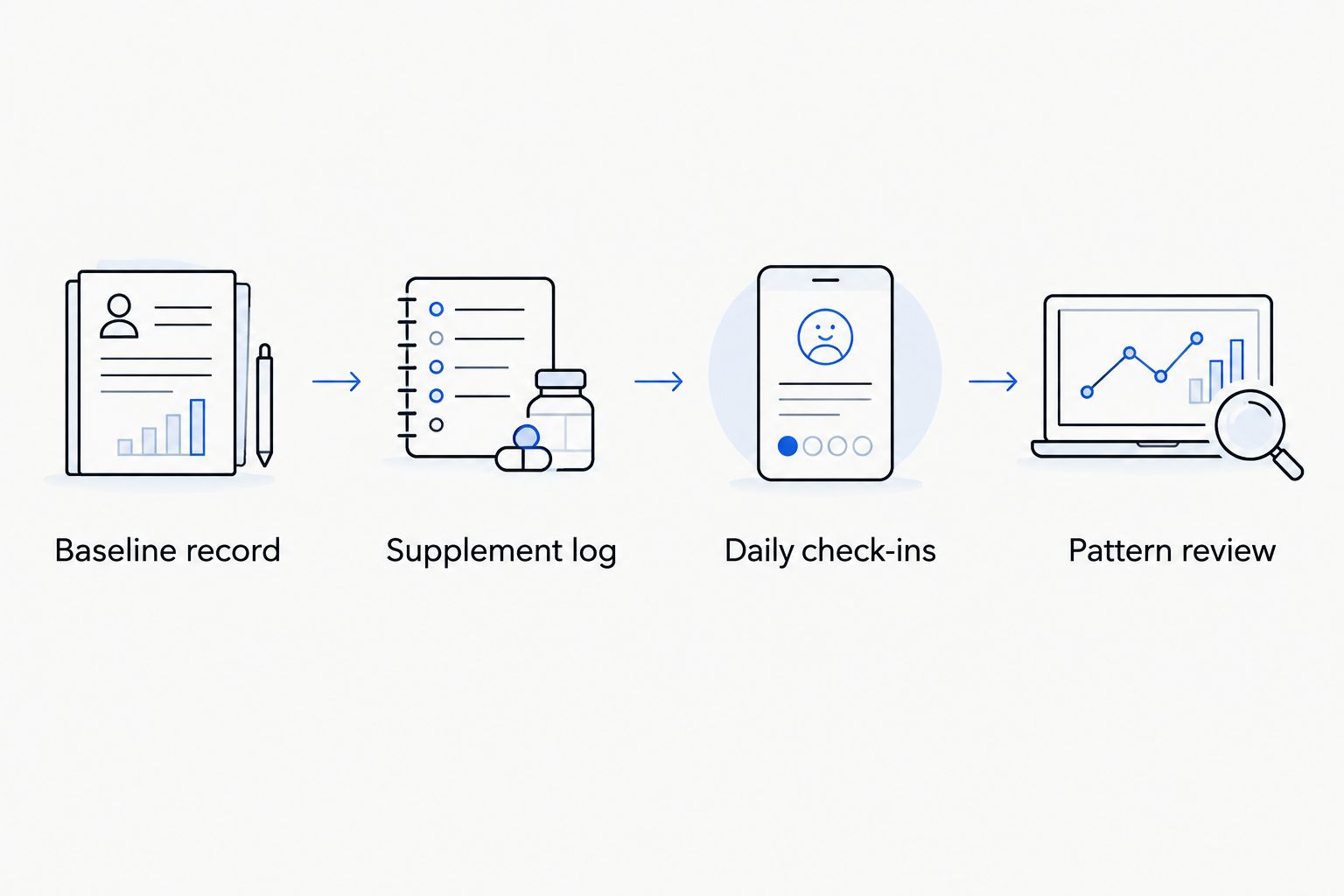
Your baseline record
A baseline is a description of your normal routine, not a test you need to pass. It gives later readings some context.
A practical 2026 tracking plan
- Choose a manageable observation window. Start with 7 days of your usual routine before introducing a new, professionally reviewed supplement. This is an organizational starting point, not a validated period for establishing supplement effectiveness.
- Choose 2 daily check-ins. Record a reading after waking and another at a consistent point in your day, such as before your evening meal. Keep each check-in tied to the same event rather than checking only when you feel unusually good or tired.
- Open Garmin Connect and find Body Battery. Select Body Battery in the app’s health metrics. Navigation varies by device and app version; use the metric’s name rather than expecting an identical menu on every phone.
- Record the reading and its context. Note the time, how rested you feel, overnight watch wear, and anything unusual about the previous day. Leave missing readings blank rather than estimating them.
- Preserve the starting record. Label those entries as your baseline. If you were already taking the supplement, describe them as your existing-routine record instead.
Expected result: You have a dated record of your usual readings and energy before changing the routine—or an accurately labeled record of what you already do.
Do not pick your highest baseline day as the standard every later day must beat. Look across the full set of entries, including ordinary and difficult days.
Your supplement and energy log
The log connects what you took with what happened that day. Keep it short enough that you will complete it when life gets busy.
- Create the fields below. Copy these column names into a spreadsheet, or use them as notebook prompts. These are your own log fields, not built-in Garmin supplement settings.
- Enter the actual supplement details. Record the exact product, amount taken according to its label, and time taken. Do not substitute a planned dose for what you actually took.
- Add both Garmin readings. Include the check-in times so an early evening reading does not get compared with a bedtime reading by accident.
- Describe everyday energy plainly. Write something concrete, such as difficulty concentrating after lunch or enough energy for your usual walk. Keep perceived energy separate from the watch reading.
- Mark changes without explaining them away. Note travel, illness, unusually demanding work, different caffeine habits, and missed watch wear. These entries are context, not failed days.
| Log field | What to enter | Why it helps |
|---|---|---|
| Date and time | The calendar date and each check-in time | Keeps readings aligned |
| Supplement | Exact product, amount taken, and timing | Records actual use |
| Morning reading | Body Battery after waking | Adds overnight context |
| Evening reading | Body Battery at your chosen check-in | Tracks the same daily checkpoint |
| Everyday energy | A short description of how you felt | Separates lived experience from the score |
| Sleep and activity | Sleep disruption and unusual exertion | Flags competing explanations |
| Other changes | Caffeine changes, illness, travel, or new products | Makes interpretation more cautious |
Expected result: Each day has a usable record linking supplement use, wearable readings, and your experience without treating them as interchangeable.
A short entry is better than an elaborate tracker you abandon. If the table feels burdensome, keep the supplement details, both readings, an energy note, and anything unusual.
Your reminders and pattern review
Reminders reduce missed entries. They do not need access to your Garmin data.
- Create recurring reminders in your usual calendar or reminder app. Name them for the action, such as morning energy log and evening energy log. Schedule them around the check-ins you chose.
- Keep supplement instructions separate. A logging reminder is not permission to take another dose. Any supplement reminder must match the label and professional advice, including instructions about food or timing.
- Set a review point after 14 days of logging. This is a practical review interval, not a promise that an ingredient should work within that period. Follow product-specific guidance about how long use is appropriate.
- Compare similar days. Review workdays alongside workdays and lighter activity days alongside similar days. Read the energy notes before deciding that a higher score represents a useful change.
- Write a restrained summary. Record whether you noticed a repeated pattern, inconsistent results, or no clear change. Include sleep, activity, and other changes that limit interpretation.
Expected result: You have reminders that support consistent records and a review that describes observations without claiming causation.
For reminder setup beyond this guide, use the walkthrough for connecting Google Calendar to your daily supplement routine.
A higher Body Battery reading is not a reason to increase a supplement dose. A lower reading is not a reason to add another product.
Second workflow: log only when your routine changes
Daily tracking is not the only useful approach. If you already have a stable routine, keep a dated change record whenever a health professional recommends an adjustment or your schedule changes.
Record the change, the reason, and the surrounding circumstances. Continue your usual Garmin wear, then add notes at consistent check-ins rather than watching the score throughout the day.
| Tracking approach | Best for | Advantage | Limitation |
|---|---|---|---|
| Daily check-ins | Adults establishing a new tracking habit | Creates a consistent record across ordinary days | Requires regular entries and still cannot prove an effect |
| Change-based logging | Adults documenting an established routine | Reduces logging work and highlights adjustments | Captures less detail between changes |
For a 2026 change record, keep dates complete so you can match entries with Garmin history later. Do not rely on a note that says only last Tuesday.
Neither approach requires an automatic supplement event inside Garmin Connect. Your separate log supplies that context.
Troubleshooting
Body Battery is missing or has gaps
Confirm that your Garmin model supports Body Battery and that the device has synced with Garmin Connect. Check wear consistency and fit using your device’s instructions. If a reading is still unavailable, mark it missing; do not fill the gap with your energy rating.
The score improves, but you still feel tired
Record both observations as they are. Body Battery is an estimate, while your fatigue is an experience that deserves attention. Persistent, worsening, or unexplained fatigue belongs in a conversation with a qualified health professional, not an increasingly complicated supplement experiment.
The score falls after you start a supplement
Review sleep, illness, exercise, alcohol, caffeine changes, and watch wear before drawing a conclusion. A timing match does not establish the cause. If you develop an unwanted reaction, stop the supplement and seek appropriate professional advice rather than waiting for a clearer graph.
You changed several things at once
Mark the date and list every change. Describe the result as a change in the whole routine, not evidence for a single ingredient. Keep medically necessary changes in place; a tidy spreadsheet is not more important than appropriate care.
You forgot whether you took the supplement
Mark the entry as uncertain. Do not take an extra serving to make the record look complete; follow the product’s directions or ask a pharmacist what to do. A missed entry is safer than an invented one.
Customize your workflow
Add detail only when it answers a specific question. Shift workers can record readings relative to waking and their main sleep period, while people with variable workouts can note whether the day involved unusually demanding activity.
For a 2026 review with your health professional, bring the supplement label, medication list, and a brief summary of what changed. A concise record of fatigue, sleep disruption, or unwanted effects is more useful than a collection of favorable screenshots.
TruNutra dietary supplements are best suited to adults seeking a simple daily wellness routine, not a way to raise a Garmin score. Consider a product only after reviewing its specific label and suitability; a general wellness description does not establish a benefit for fatigue or Garmin readings.
The advantage of this workflow is a clearer routine record. Its limitation is equally important: even careful self-tracking cannot isolate a supplement’s effect or replace an assessment of ongoing symptoms.
FAQ
Can Garmin Body Battery tell me whether an energy supplement works?
No. Garmin Body Battery estimates energy reserves from physiological and activity-related signals; it does not measure supplement effectiveness. A separate log can show timing and patterns, but it cannot establish that the supplement caused them.
How do I start a Garmin Body Battery energy supplement log in 2026?
Record your usual routine first, then log the supplement name, amount taken, timing, Body Battery readings, and everyday energy. Keep check-ins consistent and note changes in sleep, activity, illness, and caffeine.
How long should I track before reviewing my notes?
Use 14 days as a practical first review point, not an effectiveness deadline. The appropriate duration of supplement use depends on the product, its directions, and advice from a qualified health professional.
Should I take more supplement when my Body Battery is low?
No. A low Body Battery reading is not a dosing instruction. Follow the supplement label and professional advice rather than adjusting intake to chase a score.
What if I feel more energetic but my Garmin score stays the same?
Record the improvement in how you feel separately from the unchanged score. Perceived energy and Garmin Body Battery are different observations, and neither proves that a supplement caused the change.
Does TruNutra connect directly to Garmin Body Battery?
This workflow does not use a direct TruNutra-to-Garmin connection. You record supplement details separately and compare them with Garmin readings without assuming an automatic integration.
Should I stop my current supplement to create a baseline?
Do not stop a professionally recommended supplement solely to create a tracking baseline without appropriate advice. Log your existing routine and label it accurately instead.
One last thing
A reminder can improve the completeness of your record without changing your health at all. That is why a fuller graph after starting this workflow is not evidence of a supplement benefit.
Before adding another metric, ask whether your notes answer a simpler question: are you feeling better in daily life, and is the routine appropriate to continue? Keep the score in that supporting role.