


Build a bone health routine around your Fitbit activity rings
Instead of deciding each morning how to fit movement into your day, build a repeatable schedule around your Fitbit activity goals, planned strength sessions, and a weekly review. Fitbit can help you track that routine, but its activity displays do not measure bone density or confirm that a supplement is working.
- A Fitbit activity rings bone health routine tracks movement habits, not bone density.
- Pair weight-bearing movement with strength training; a completed activity goal does not describe every exercise benefit.
- TruNutra supplements belong alongside food and activity decisions, not in place of them.
- Use recurring reminders and a weekly review to keep your routine practical.
Why this matters
A full activity display feels satisfying. It still cannot tell you whether your week included strength training, whether your food choices meet your needs, or whether your bones have changed.
Fitbit and Apple Watch also use different activity displays. If you call Fitbit's progress indicators “activity rings,” treat that phrase as shorthand for activity goals—not as the name of a bone-health feature.
TruNutra is best for adults considering supplements alongside an everyday wellness routine, not for measuring bone health. If you are considering Osteo Guardian, review its current label before deciding whether it belongs in your plan. Do not infer ingredients, dosage, or suitability from the product name.
For your 2026 routine, keep three questions separate: Did you move? Did you complete your planned strength work? Does your nutrition plan fit your needs? A wearable helps with the first question; your schedule, food choices, and qualified health professional help address the others.
Before you start
- Get access to your activity record. Have your paired Fitbit device, access to your Fitbit account, and the app on your phone. Open the app and confirm that recent activity appears before relying on it for your review.
- Prepare a simple planning space. Use a calendar and a paper or phone note for exercise type, completed sessions, and questions. If you take supplements, keep the current labels available so you can record the actual directions rather than relying on memory.
- Know the tracking gap. Fitbit steps and Active Zone Minutes do not identify a complete bone-health routine. Strength work can produce little step progress, while cycling can produce activity minutes without being weight-bearing. If you have osteoporosis, a previous fragility fracture, balance concerns, or exercise restrictions, get an appropriate exercise plan before adding unfamiliar movements.
You do not need another app to begin. In 2026, a calendar beside your Fitbit record is enough to separate what the device measures from what you deliberately plan.
Your Fitbit baseline
Start with your current habits, not someone else's step target. The purpose of a baseline is to find a workable starting point without turning the watch into a daily test you must pass.
- Check activity. Open the Fitbit app and select Today. Review the Steps metric and, where your device supports it, Active Zone Minutes. These are activity measures, not bone measurements.
- Check the record. Compare the displayed activity with what you remember doing. If a walk is missing or the record looks incomplete, resolve the recording or syncing issue before using the totals to plan your week.
- Record exercise type. In your separate note, write down activities that the totals do not explain: walking, resistance exercise, cycling, swimming, or another familiar activity. A session's name gives useful context that a single total cannot provide.
- Identify an existing cue. Choose a dependable moment, such as finishing breakfast or ending your workday, that already fits your schedule. Attach movement planning to that cue rather than waiting for an unusually quiet day.
Expected result: You can see your recorded activity and explain what produced it. You also have a place to record strength sessions independently of your step total.
Do not compare a desk-work day with a hiking day and call one a failure. Compare similar days when deciding what is realistic. Your baseline should help you make a repeatable plan, not encourage a sudden jump in activity.
Your weekly movement plan
For a general adult activity framework, the U.S. Department of Health and Human Services' Physical Activity Guidelines for Americans recommends at least 150 minutes per week of moderate-intensity aerobic activity and muscle-strengthening activity on 2 days per week. These are general health recommendations, not a promise of improved bone density or an individual exercise prescription.
Use that guidance as context for your 2026 schedule. Your starting point, health history, and professional advice determine what you actually put on the calendar.
| Activity choice | Best for | Practical advantage | Limitation |
|---|---|---|---|
| Walking | Adults building a familiar weight-bearing habit | Easy to connect with errands, breaks, or a daily route | Step totals do not replace strength training or measure bone changes |
| Resistance exercise | Adults adding planned muscle-strengthening work | Makes strength work a deliberate part of the week | Technique and exercise selection matter; steps can underrepresent the session |
| Cycling or swimming | Adults including non-weight-bearing aerobic activity | Adds aerobic movement without depending on walking | Activity minutes do not make the session weight-bearing |
Walking, resistance exercise, and other aerobic activities can serve different purposes. Keep exercise type visible beside your Fitbit totals rather than treating every completed activity goal as interchangeable.
- Plan movement. Put familiar, appropriate activities into your calendar. For a modest example—not a medical recommendation—you might schedule a 10-minute walk after lunch and adjust it to your ability and advice.
- Reserve strength time. Add separate calendar entries for suitable resistance exercise. Follow an established plan or professional instruction rather than choosing unfamiliar exercises solely to complete a tracker goal.
- Define completion. Write what counts as finishing each entry. For a walk, that means doing the planned route or duration; for strength work, it means completing the appropriate session, not reaching a step number.
- Allow alternatives. Identify an appropriate indoor option for bad weather and a rescheduling option for interrupted days. Do not substitute an unfamiliar high-impact workout just because it produces faster activity progress.
Expected result: Your calendar includes movement and strength work as distinct activities. You can tell which part of the plan you completed without asking the Fitbit display to explain everything.
A missed session is a scheduling problem to review, not a reason to double the next workout. Keep the next session appropriate for your plan.
Your reminder and nutrition plan
A reminder should tell you what to do, not simply tell you to “be healthier.” Keep the action small enough to understand when the notification arrives.
- Set reminders. Create recurring calendar entries for your planned activities. Use clear titles such as “Lunch walk” or “Strength session,” and place them at times you can actually use.
- Separate food review. Add a planning note to consider calcium- and vitamin-D-containing foods as part of your overall diet. A Fitbit activity total cannot establish whether your intake is adequate.
- Check supplement labels. If a supplement is already part of your routine, record its exact name and label directions in your note. Review overlapping ingredients across products with a qualified health professional rather than assuming that more is better.
- Keep reminders distinct. A movement reminder prompts an activity; a supplement reminder follows the product directions. Do not create a rule that extra exercise requires an extra dose.
Expected result: You have clear prompts for planned movement and a separate, label-led approach to supplements. No Fitbit result changes your supplement directions.
TruNutra sells dietary supplements, but a product recommendation still requires a label review and a decision about your needs. Check ingredients, serving directions, warnings, and any relevant professional advice. A product's role cannot be established by its name or by your activity score.
If missed doses are the issue, the guide to setting up supplement reminders with Medisafe covers a separate reminder workflow. That is a different task from tracking exercise; keep the two records connected by your routine, not by an assumed data integration.
Your weekly review
The useful review is short and practical. It looks for a schedule you can repeat, not evidence that a week of activity changed your bones.
- Review weekly. Open Fitbit's Today view and examine your activity record. Then open your calendar or note to see which planned sessions you completed.
- Check exercise coverage. Look for the activities themselves, especially strength sessions that did not generate many steps. Ask whether you completed your plan—not whether every display looks full.
- Check obstacles. Identify the specific reason a session did not happen: an inconvenient time, weather, an overly complicated plan, or an activity that did not feel appropriate.
- Adjust the schedule. Move an impractical calendar entry or simplify its setup. If pain or a health concern interrupted exercise, address that with a qualified health professional instead of using a higher tracker target as the solution.
Expected result: Your next week contains a deliberate adjustment based on what happened. Your review does not claim to measure bone density, diagnose a problem, or prove a supplement benefit.
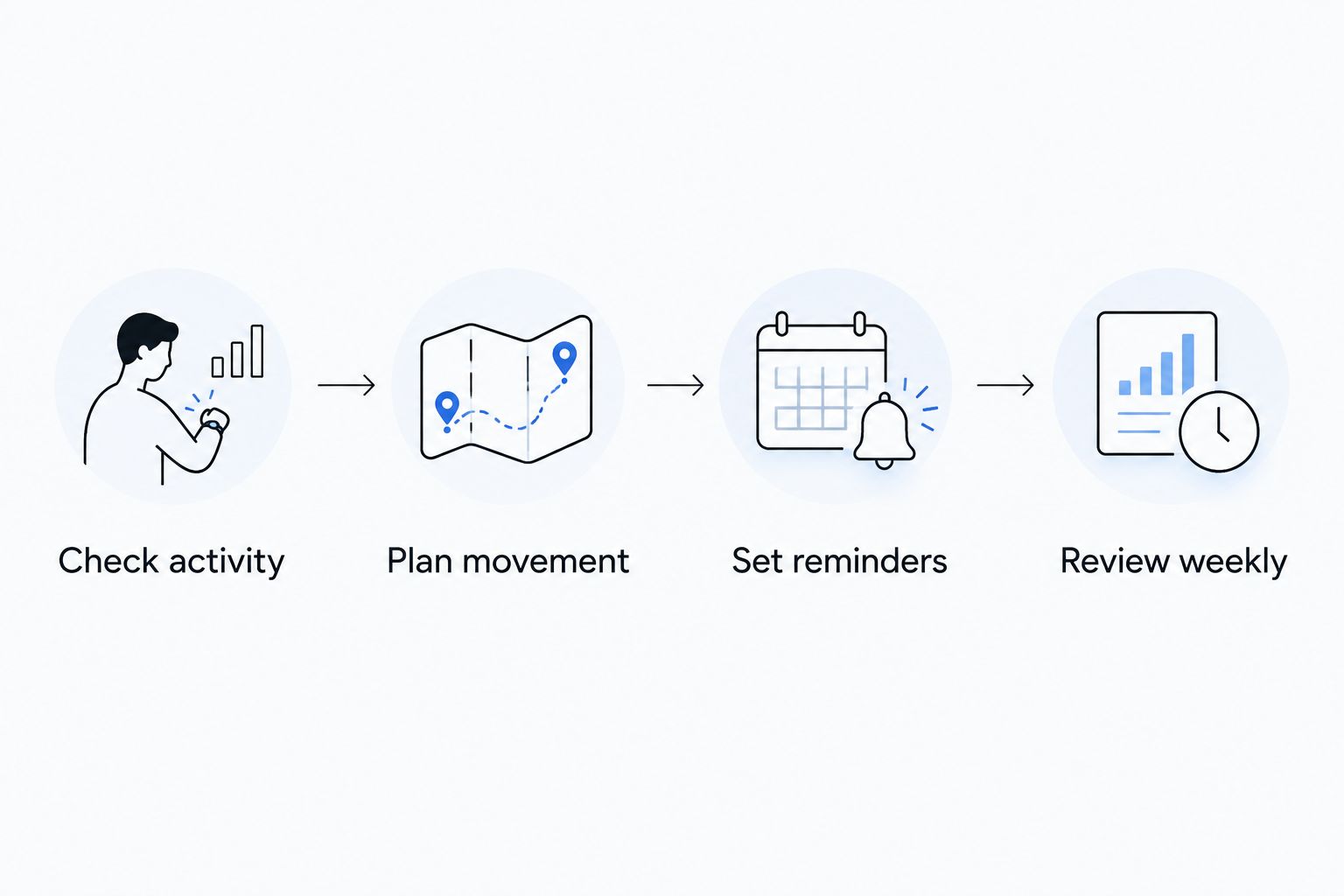
Keep the workflow simple: Check activity, Plan movement, Set reminders, Review weekly. The calendar supplies intention; Fitbit supplies an activity record.
Adjust your routine when your activity changes
A second workflow fits weeks when your schedule changes: review the activity record before choosing the next planned session. This is a manual decision process, not an automatic Fitbit-to-supplement connection.
For a busier-than-usual week in 2026, check what kind of movement increased. More walking does not necessarily mean you completed your planned strength work. Keep the exercise categories separate when deciding what still belongs on the calendar.
For a quieter week, identify the cause before changing a goal. Travel, illness, device problems, and a changed work schedule call for different responses. Do not treat every low total as a motivation problem.
Use this sequence:
- Review the activity record after the schedule change.
- Compare it with your planned exercise types.
- Reschedule an appropriate missed session if it still fits your circumstances.
- Leave supplement directions unchanged unless the label or your health professional directs otherwise.
Expected result: The routine adapts to your week without turning activity data into a dosage instruction or a medical conclusion.
Troubleshooting
Your Fitbit activity record is missing recent movement
Confirm that the device is connected and allow it to sync with the app. Check that you are viewing the intended day. Until the record updates, use your calendar note rather than treating a blank or incomplete total as proof you were inactive.
Your strength session barely changed your steps
Record the strength session separately. Step counts describe steps, so a low count does not establish that resistance work was unproductive. Do not add unnecessary walking solely to make the session appear in another metric.
You completed activity goals but skipped strength work
Keep the next appropriate strength session on your calendar. Aerobic progress and muscle-strengthening work are different parts of an activity plan; one display cannot confirm that both happened.
Exercise causes new pain, dizziness, or unusual symptoms
Stop the activity and seek appropriate medical advice. Do not use a completed goal, a wearable reading, or a supplement as reassurance that continuing is safe. Severe or urgent symptoms require urgent care.
Supplement reminders no longer match the label
Correct the reminder before relying on it. Check the current product directions and discuss uncertainties or overlapping ingredients with a pharmacist or another qualified health professional. Never copy a reminder from one product to another without checking.
Customize your workflow
Expand the routine only when you know which problem you are solving. If planning is the problem, improve the calendar; if missing records are the problem, improve the note; if supplement suitability is the problem, review the label and seek qualified advice.
For TruNutra supplements, keep a current label record alongside your routine. That creates a useful place for questions without implying that the product connects to Fitbit or that activity data verifies its effects.
You can also add a brief observation about how an activity felt. Use those notes to explain your experience during a professional consultation, not to diagnose changes in bone health.
FAQ
Can Fitbit activity rings tell me whether my bones are getting stronger?
No. Fitbit activity progress measures recorded activity, not bone density. Bone-health assessment requires appropriate clinical evaluation, not a completed activity display.
Does Fitbit use the same activity rings as Apple Watch?
No. Fitbit and Apple Watch use different activity displays. In this routine, Fitbit activity rings is shorthand for activity-goal progress, not a specific bone-health feature.
What's the best Fitbit goal for a bone-health routine?
An activity goal you can use alongside a suitable exercise plan is more useful than a universal step target. Keep weight-bearing movement and strength sessions visible separately, because Fitbit totals do not describe every exercise benefit.
Does walking replace strength training for bone health?
No. Walking and strength training serve different roles in an activity routine. General adult guidelines include aerobic activity and muscle-strengthening work; your health history determines the appropriate exercises.
Can cycling or swimming count toward my activity plan?
Yes. Cycling and swimming can contribute aerobic activity, but they are not weight-bearing activities. Keep that distinction visible when reviewing your Fitbit activity minutes.
Can I connect TruNutra supplements to Fitbit automatically?
This guide does not use an automatic TruNutra-to-Fitbit connection. Keep exercise records in Fitbit and supplement reminders in a separate calendar or reminder tool, following the current product label.
Should I take more supplements on days when I exercise more?
Do not increase a supplement dose because your Fitbit activity total is higher. Follow the label and any individualized advice from a qualified health professional.
How soon will this routine show a change in bone density?
Fitbit cannot show a change in bone density at any point. Use the routine to track consistency, and ask a qualified health professional whether bone-density assessment is appropriate for you.
One last thing
A strength session can belong in your plan even when the step display barely moves. Track the activity you intended to complete, not just the metric that is easiest to fill.
For the rest of 2026, let that distinction guide your review. Your Fitbit record helps describe movement; it does not grade your bones.